

Zigbee/Z-Wave Hub-Dependent Sensors
Zigbee and Z-Wave water leak sensors use low-power mesh radio protocols instead of connecting directly to a home’s WiFi network, which means they depend on a compatible smart-home hub to function. That dependency is the central tradeoff of this category: these sensors integrate more tightly into an existing smart-home ecosystem than a standalone WiFi sensor, but only if the hub compatibility is verified before purchase. This page compares how Zigbee and Z-Wave sensors work, where they fit against hub ecosystems, and the compatibility traps buyers most often run into.
How Zigbee and Z-Wave Sensors Work
Both Zigbee and Z-Wave are mesh networking protocols built specifically for low-power smart-home devices, in contrast to WiFi, which is designed for higher-bandwidth traffic and draws considerably more power. A leak sensor using either protocol does not connect straight to a router; instead, it communicates with a hub — a dedicated bridge device or a hub function built into a broader smart-home platform — which then relays sensor status and alerts to the internet and, from there, to a phone app. Because neither protocol connects directly to WiFi, a Zigbee or Z-Wave sensor is non-functional without a hub present and paired to it.
Research-based comparison — we have not physically tested these products. Our analysis uses manufacturer specifications, manuals, warranty/support policies, safety certifications, independent test data where available, and current marketplace availability.
The appeal of this category is integration: a household that already runs a Zigbee or Z-Wave smart-home setup for lighting, locks, or thermostats can typically add a leak sensor into that same hub and automation platform, rather than managing a separate WiFi device and a separate app. For a household starting from nothing, a standalone WiFi sensor — covered on our Standalone Water Leak Detectors page — is usually the simpler starting point.
Key Decisions Before You Compare Models
SmartThings vs. Home Assistant vs. Aeotec hub compatibility
Not every Zigbee or Z-Wave sensor pairs cleanly with every hub brand. Protocol version support and manufacturer-published compatibility or pairing lists vary between ecosystems like Samsung SmartThings, Home Assistant with a Zigbee/Z-Wave USB stick, and dedicated Z-Wave hubs like those from Aeotec. Checking a sensor’s compatibility list against your specific hub model before buying avoids a sensor that simply will not pair.
Zigbee vs. Z-Wave mesh and range
Both are mesh protocols where every powered (mains-connected) device extends the network’s effective range, but they differ in frequency band and behavior. Z-Wave operates on a sub-1GHz band with less interference from WiFi and Bluetooth traffic and generally longer range per hop; Zigbee operates in the 2.4GHz band, shared with WiFi, which can mean more interference in a device-dense home but often faster mesh formation.
Hub-optional vs. hub-required models
This is a common buyer trap. Some sensors marketed as “Zigbee” or “Z-Wave” only work with their own required proprietary hub or bridge sold by the same manufacturer, while others are designed to pair with any general-purpose hub that supports the protocol. Confirm which category a given sensor falls into before assuming it will work with a hub you already own.
Battery life and low-power design
Because Zigbee and Z-Wave were purpose-built for low-power devices, battery-powered sensors on these protocols commonly report longer battery life than comparable WiFi sensors, which draw more power maintaining a direct WiFi radio connection. This is one of the practical advantages of the category for sensors placed in hard-to-reach locations.
Hub Ecosystem Considerations
Before comparing individual sensors, it is worth confirming what hub situation applies. A household with an existing Samsung SmartThings hub, a Home Assistant server with a Zigbee or Z-Wave radio, or a dedicated controller like an Aeotec Smart Home Hub already has the infrastructure a compatible sensor needs. A household without any of these has to weigh the up-front cost and setup complexity of adding a hub against the simplicity of a standalone WiFi sensor that skips the hub requirement entirely. Our buying guide comparing detectors by hub type walks through this decision in more detail, including how it interacts with automation goals beyond leak detection alone.
Zigbee vs. Z-Wave: Practical Differences
For a leak sensor specifically, the protocol choice usually matters less than whether the sensor is compatible with the hub already in the home, but a few general patterns hold. Z-Wave’s sub-1GHz band tends to penetrate walls and floors somewhat better and suffers less interference in homes dense with WiFi routers, mesh WiFi points, and Bluetooth devices, which can matter for a sensor placed in a basement or a detached structure. Zigbee’s larger installed base and lower per-device cost make it more common in budget-oriented sensor lines and in ecosystems like SmartThings that support it natively. Neither protocol is categorically better for leak detection; the practical decision comes down to which protocol the household’s existing or planned hub supports.
Certifications and What to Verify
Look for explicit listing of the Zigbee specification version (such as Zigbee 3.0) or Z-Wave generation (such as Z-Wave Plus or Z-Wave Long Range) supported by the sensor, since older and newer generations are not always fully interoperable across hub brands. Confirming the manufacturer publishes a specific compatibility or certification list — rather than a generic “works with smart home hubs” claim — is a reasonable signal of a sensor built to the open protocol standard rather than a proprietary variant.
Typical Price Range
Zigbee and Z-Wave leak sensors are inexpensive and tightly clustered: almost the entire category sits in the under-$30 and $30-75 tiers, split roughly evenly between them, since the low-power radios involved are cheap to manufacture at scale. The sensor is rarely the decision that costs you money. The real consideration for a household starting from zero is the hub, which is a separate purchase and a much wider price range — and, more importantly, a commitment: the sensors are cheap enough to replace, the ecosystem is not. Weigh the hub decision first and see our comparison table, which sorts nine sensors by exactly which hubs each manufacturer states it will join.
Who Should Not Buy a Hub-Dependent Sensor
A household with no existing smart-home hub and no plans to build one out is generally better served by a standalone WiFi sensor, which skips the hub-purchase and pairing steps entirely. Hub-dependent sensors make the most sense for households already invested in a Zigbee or Z-Wave ecosystem, where adding a leak sensor is an incremental addition rather than the reason to buy a hub in the first place.
Common Questions
Can I use a Zigbee leak sensor without any hub at all?
No. Zigbee and Z-Wave sensors communicate over a mesh protocol that a phone or router cannot read directly. A compatible hub is required to translate sensor signals into app notifications, unlike a standalone WiFi sensor that connects to a router on its own.
Will any Zigbee sensor work with any Zigbee hub?
Not always. While the Zigbee and Z-Wave standards are designed for interoperability, individual manufacturers sometimes restrict compatibility to their own hub or a limited published list of supported hubs. Checking the manufacturer’s compatibility list against your specific hub model before purchase is the only reliable way to confirm pairing will work.
Is Z-Wave or Zigbee better for a leak sensor?
Neither is categorically better for leak detection specifically. Z-Wave’s sub-1GHz band generally handles wall and floor penetration and interference slightly better, while Zigbee has a larger installed base and often lower per-device cost. The more important factor is which protocol your existing or planned hub supports.
Do hub-dependent sensors have better battery life than WiFi sensors?
Generally yes. Zigbee and Z-Wave were designed from the ground up as low-power protocols, so battery-powered sensors on these networks commonly report longer rated battery life than comparable WiFi sensors, which use more power maintaining a direct WiFi connection.
Compare them
The finder below is already scoped to this class — 30 of the 988 products in the corpus. Widen or narrow it from there, or open the full leak detection finder to search everything at once. Every result is placed against the median for its own size band, where that band holds at least eight products with a stated figure.
30 products match

5 Pack Black Water Leak Alarm Detector, 120dB Loud Alert Water Sensor, IP66 Waterproof, Sensitive Leak and Drip Alert, Easy Installation for Home, Basement Flood Prevention, Bathroom, Sink, Laundry
Weight
0.44kg
Too few products in this class to publish a baseline.

Geevon 4 Pack Water Leak Detectors, 100dB Water Sensor Alarms Flood Detector for Basements, Bathrooms, Laundry Rooms, Kitchens, Garages, and Attics, Water Alarms Battery-Operated (Battery Included)
Weight
0.36kg
Too few products in this class to publish a baseline.
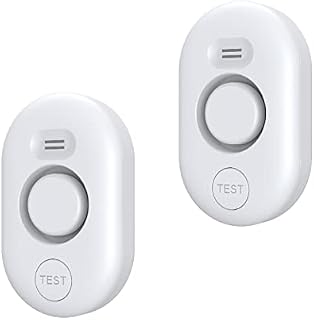
METAK Water Leak Detector Sensor Alarm: Home Water Flooding Monitor Smart Sink Overflow Monitoring Adjustable Wet Moisture Alert Pipe Leakage Drip Detection Warning for Basement Floor (2 Sensor)
Weight
0.16kg
Too few products in this class to publish a baseline.
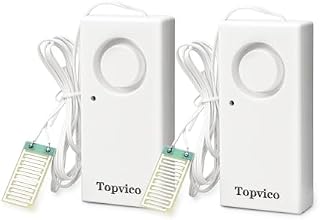
Water Alarms Leak Detector for Home Basements, RV Water Heater, Sump Pump Overflow Moisture Floor Flood Sensor, 120dB Work Alone Battery Operated, 2 Packs
Weight
0.12kg
Too few products in this class to publish a baseline.
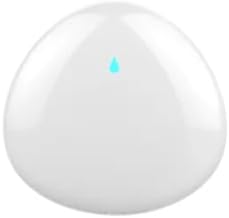
Ezlo 800 Series Z-Wave Water Leak Detector | Works with Ezlo, Alexa, Home Assistant and Other Z-Wave Hubs | Water Leak Detection for Kitchen, Bathroom, Basement or Laundry Room
Weight
0.09kg
Too few products in this class to publish a baseline.

Aqara Water Leak Sensor, Zigbee Wireless Water Leak Detector for Alarm System and Smart Home Automation, Requires AQARA HUB, App Notifications, for Kitchen, Bathroom, Basement, Works with IFTTT
Weight
0.02kg
Too few products in this class to publish a baseline.

THIRDREALITY Zigbee Water Leak Sensor with Dripping Detection 2 Pack, 120 dB Alarm, App Notifications Enabled When Work with Home Assistant and Compatible Zigbee HUB, Batteries Included
Weight
Not stated
This listing does not publish a figure, so it cannot be placed against the baseline.

Water Leak Detector 3 Pack, 5-Year Battery Life, Water Alarm with Low Battery Warning, 100dB Loud Sound and Self-Test Function, IP66 Waterproof for Home Basement Kitchen(Not Support Wi-Fi)
Weight
Not stated
This listing does not publish a figure, so it cannot be placed against the baseline.

Water Leak Sensor, Zigbee Wireless Water Leak Detector for Alarm System and Smart Home Automation, Requires Colorpanda HUB, App Notifications, for Kitchen, Basement, Works with Homekit,Alexa,IFTTT
Weight
Not stated
This listing does not publish a figure, so it cannot be placed against the baseline.
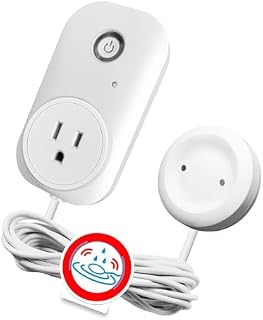
Smart Leak Detection Sensor – Water Leak Alarm with Real-Time Alerts for Home, Office & Basement Protection
- Battery
- not stated
- Sensing
- not stated
- Size
- not stated
Weight
0.30kg
Too few products in this class to publish a baseline.

Zigbee Temperature and Humidity Sensor, 4 Pack, Smart Home Compatible, Zigbee 3.0, Multi-Room Group Control
Weight
0.01kg
Too few products in this class to publish a baseline.

3 Pack Water Sensors, Zigbee Wireless Water Leak Detector for Smart Home, Real Time Leakage Alert, Remote Monitoring, ABS Material, Mini Size, Battery Life Up to 1 Year
Weight
38.56kg
Too few products in this class to publish a baseline.